Solar Conditions
Overview
Often times when deciding which band/mode you would like to operate in, current solar conditions play a role in the decision. Eventing time and 20 meters is closed? Move down to 80 meters, etc.
For this, current solar conditions and band status can be easily acquired through xOTA using the method of your choice.
Requesting condition reports
There's no special syntax for this, simply send the below request to xOTA
conditions
Depending on the medium used to send the request, you will either receive a text-only quick summary, a simplistic report with no images, or a full detailed report with images and charts.
Reading condition reports
Standard Email
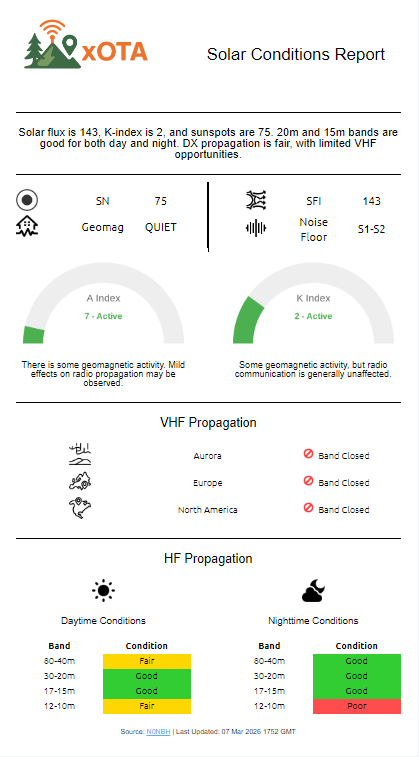
Standard emails are meant for no data restrictions, subsequently they are more "traditional" of the report types. Below is an example conditions report sent to a standard email:
Simplified Email
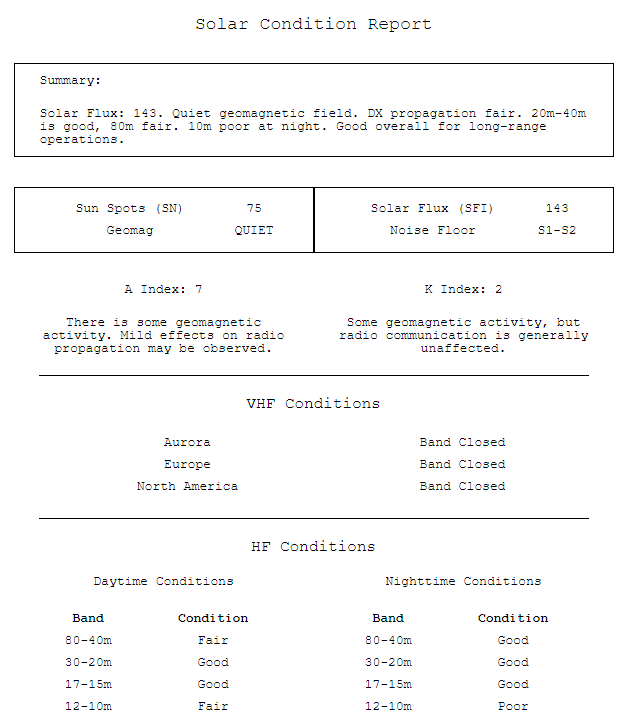
As a middle ground between a full email with images and styling, and a 140-character text string, you can also get basic reports over email with minimalistic styling and no images. These are great if working over a WinLink email, for example.
SMS / Text-Only email
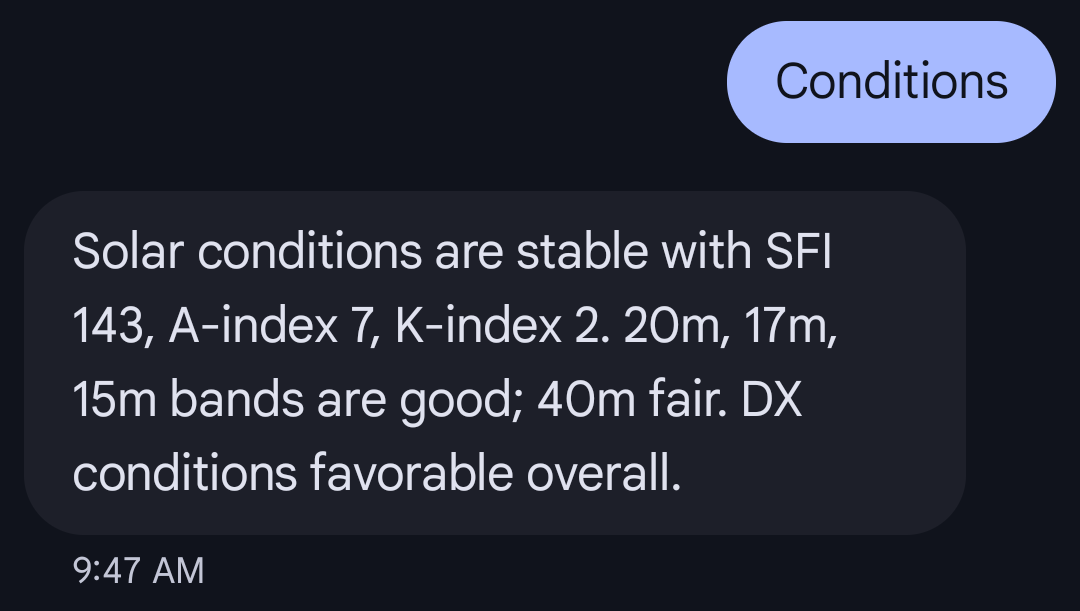
Due to the limitations of 140 characters for SMS messages, the report needs to be quickly summarized with only the key elements being sent in the message. Depending on the time of day and current conditions, this summary could range in topics.
Command Parameters
There are no special parameters or advanced syntax for this command