Recent Activity
Overview
Park2Park (P2P), or Summit2Summit (S2S) contacts are a great way to get some bonus points while operating portable. However finding other portable stations when outside traditional data coverage can be cumbersome losing daylight while blindly turning the dial. Now, you can easily get recent spots directly to you allowing you to quickly hunt other POTA or SOTA stations.
The general syntax for getting an activity report is:
activity@<activity (optional)>,<mode (optional)>,<band (optional)>
Requesting an activity report
For an activity report to be valid, no parameters are needed to be added. To get a full unfiltered report, simply send the activity command with nothing more:
activity
Depending on your device, you will receive the latest spot information across both POTA and SOTA. During peak hours, or on a busy weekend, it may be more practical to filter down all the spots to those only within your current band and/or mode.
To filter spots, add any number of the optional parameters in any order.
For example, if I wanted to only see SOTA spots, operating on 40m cw, I would send the following command:
activity@sota,40m,cw
Reading activity reports
Right now, based on your parameters, only the most recent spot data is shown. A TODO item for the project it to allow the user to request more spots not seen. You can read more: HERE
Depending on the device used to request spot activity, you will be provided a report with the following different formats.
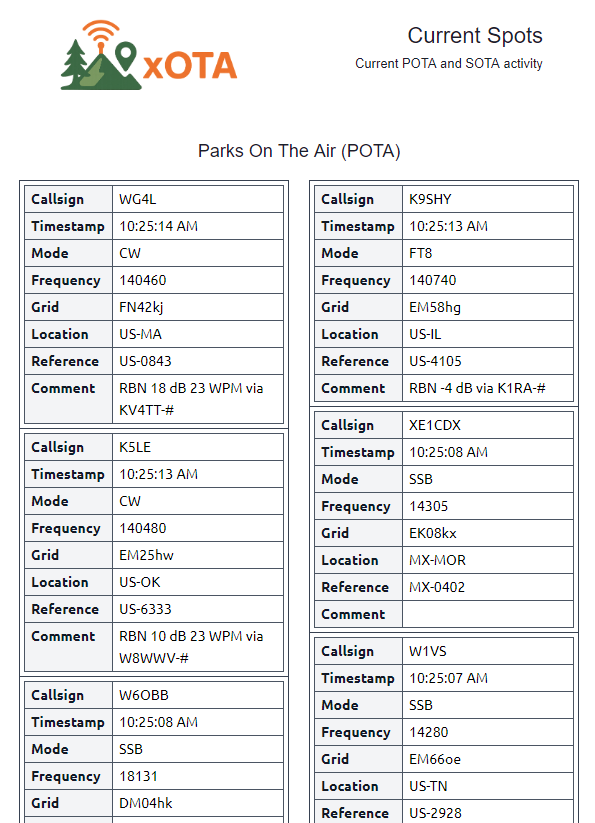
Standard Email
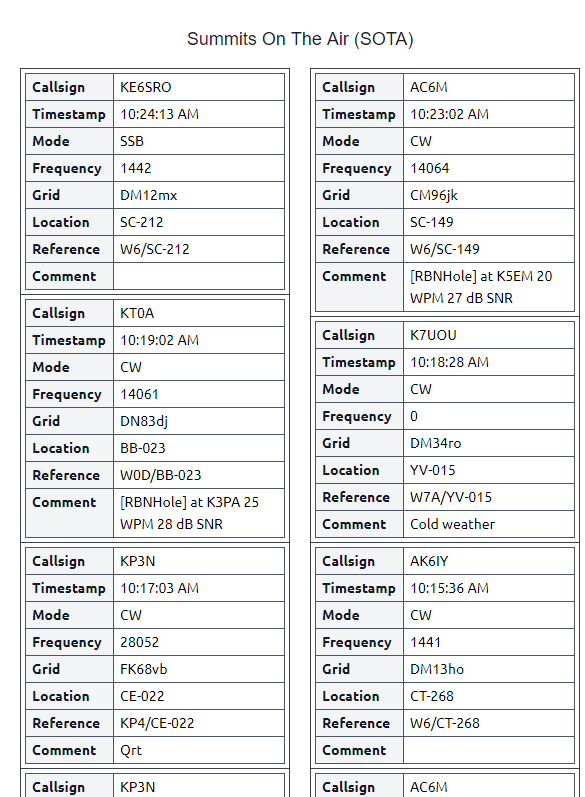
Since there are effectively no limitations on bandwidth in standard emails, they are sent with all recent spots. Due to this, the standard activity emails can be quite long. Be sure to set the email type properly when setting up your emails.
...
Simplified Email
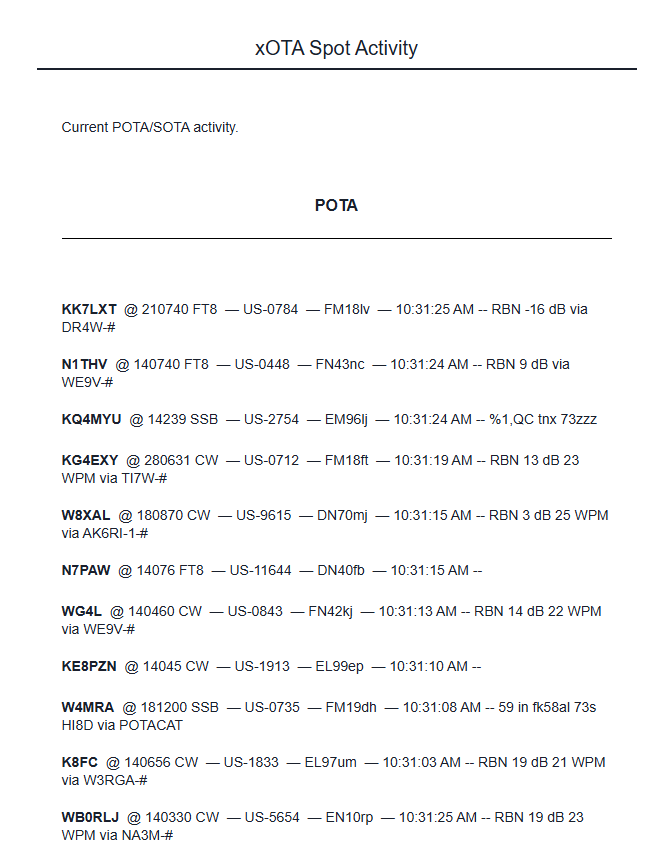
To save bandwidth and remove HTML tables, simplified activity reports are sent in the following syntax:
<Callsign>@<Frequency> <Mode> - <Park/Summit> - <Grid> - <Time> - <Comment>
SMS / Text-only email
Accomplishing a text-only activity report within the constraint of 140-characters is somewhat difficult. Similarly, only 3 spots can be sent over SMS. It is highly recommended to employ filtering when checking for activity over SMS.
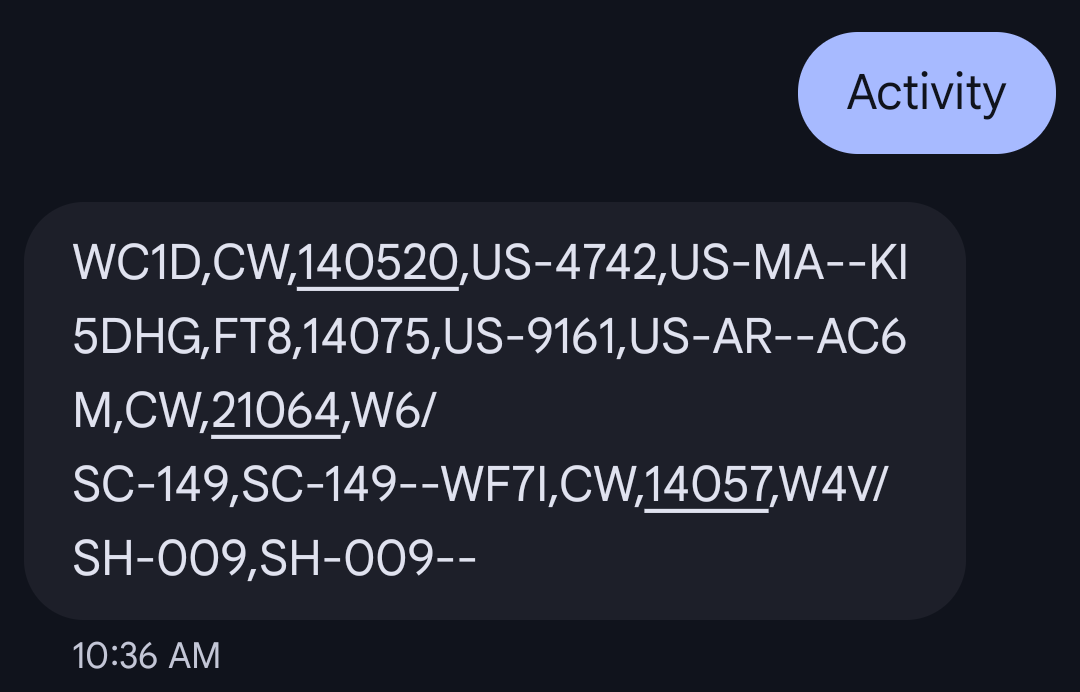
In attempts to save character space, SMS activity reports are sent with the following syntax.:
<Callsign>,<Mode>,<Frequency>,<Park/Summit>,<State>
Command Parameters
activity(optional)- Filter by activity, either SOTA or POTA
band(optional)- Filter current spots by band.
- You will need to format the band in the following method (note the
m)- 10m
- 20m
- 30m
- 40m
- etc.
mode(optional)- Filter current spots by mode (e.g. cw, ssb, etc.)