Overview
Many times, off-grid messengers also have the ability to send email messages instead of strictly SMS messages. Alternatively some operators may wish to utilize email-over-radio protocols such as Vara, ARDOP, etc.
By utilizing traditional email protocols, users can obtain full-functionality over the xOTA platform using the same syntax as if sending an SMS.
Sending an Email
For all email based command functionality, send your email to the xOTA service entrypoint:
service@xota.radio
The email should adhere to the following format:
Subject: The subject field is not read at all from xOTA. This can be left blank, or alternatively, anything you may wish to send for internal organization purposes.
Body: The email body should contain only the command you wish to invoke and associated parameters. If your device "adds" extra data (e.g. some satellite messengers) then you can utilize the backtick (`) to wrap your command. For more information on the backtick (`) see Reserved Characters
Any additional fields such as CC, BCC, etc. will be disregarded and not read by the parser. Your email will only be sent back to the original sender address.
Email Types
Email devices can be broken into three categories, depending on the origin of the email.
Standard Email: Full HTML, styling and images.- Your typical email. Used when full-internet connection is expected
Simplified Email: Simple HTML, no images, light styling- Best used for protocols such as
WinLink. Emails have been condensed for low-bandwidth transmission, but still preserving some styling to make readability easier.
- Best used for protocols such as
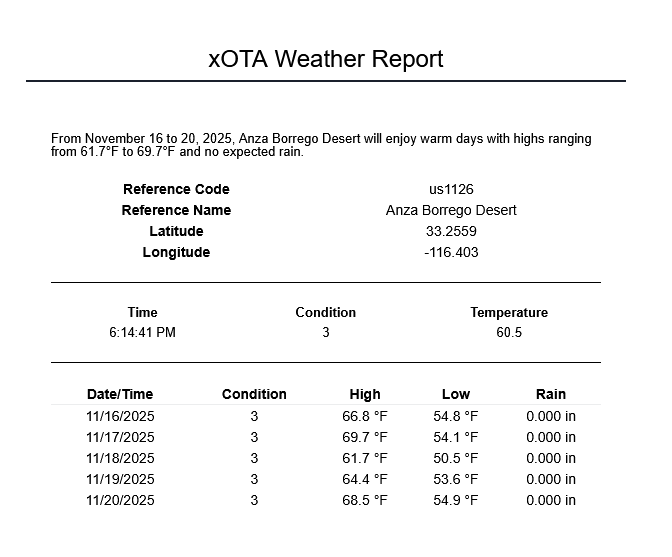
Test-Only Email: No HTML, no images/styling, maximum 140 characters.- Used as a direct alternative to SMS. This email type conforms to all the requirements of sending/receiving an SMS message.
Examples of each email type are shown below.
Standard
Description of standard email
Simplified
Test only
Description of text only
Adding new email device
Documentation for adding new email device
WinLink
WinLink templates coming soon
Special documentation here for WinLink