Account Registration
The following documentation outlines registration for an xOTA account once full registration has been opened. During the beta, reference this Blog Post for requesting access to the platform
Registering an account
Registration for xOTA is open to anyone with a valid amateur radio callsign. Even if you are not into portable activating, there are many features available to hunters alike so we encourage anyone who's interested to register an account.
To get started, simply navigate to the user avatar in the top-right corner of the home page and select "Sign-in/Register"
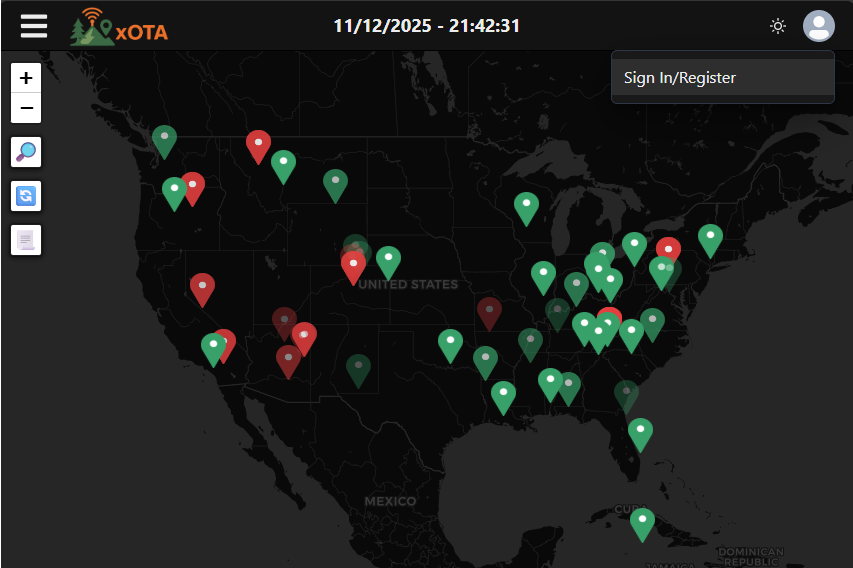
You will be directed to the xOTA authentication provider page where you can start the registration process by selecting the "Sign Up"
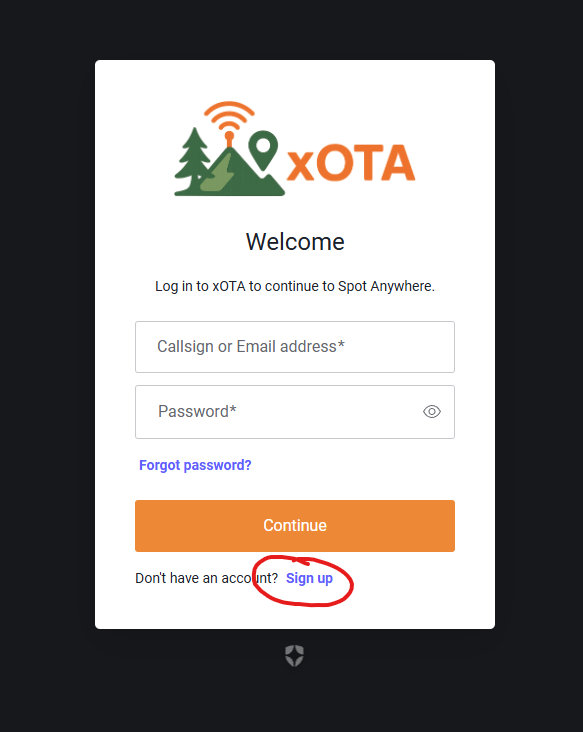 |  |
|---|
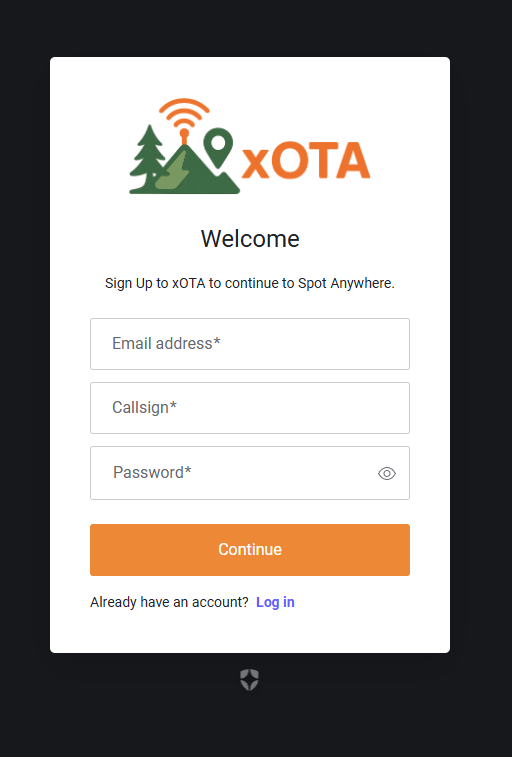
The following information will be required to register an account:
- Email address (This address is completely separate than other emails you associate with xOTA)
- Callsign
- Password
- 8 characters minimum
- At least 3 of the following
- Lower case letters (a-z)
- Upper case letters (A-Z)
- Numbers (0-9)
- Special characters (e.g. !@#$%^&*)
Once your account has been registered, you will receive an email asking you to confirm your account and be redirected back to the main xOTA interface where you can finish setting up your account.
First-time setup
After creating your account, you will be redirected to the main page where you will be asked for the following information:
- First Name
- Last Name
- Timezone / UTC Offset
- Unit type (Imperial or Metric)
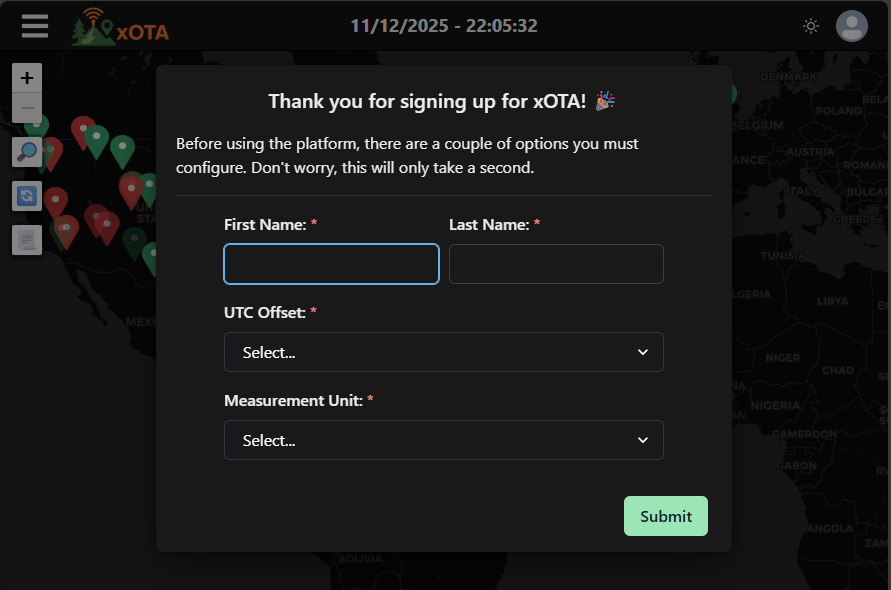
This information is used throughout the platform and can always be changed later in your Profile Settings. Once your account has been setup, you are free to use most elements of the platform until your email is verified.
Activating your email
Although you now have an xOTA account, some of the core platform will be unaccessible until you have confirmed your registration email. By the time you have completed the Account Setup, you should have received an account confirmation email. To activate your account, simply click the link contained in the email and you will have full access to xOTA.
Until your account is verified, the following features will be unavailable.
- Adding spotting / platform devices
- Posting spots via email, SMS, friend code, etc.
- Limited to 5 logbooks
- Limited to 10 alerts